
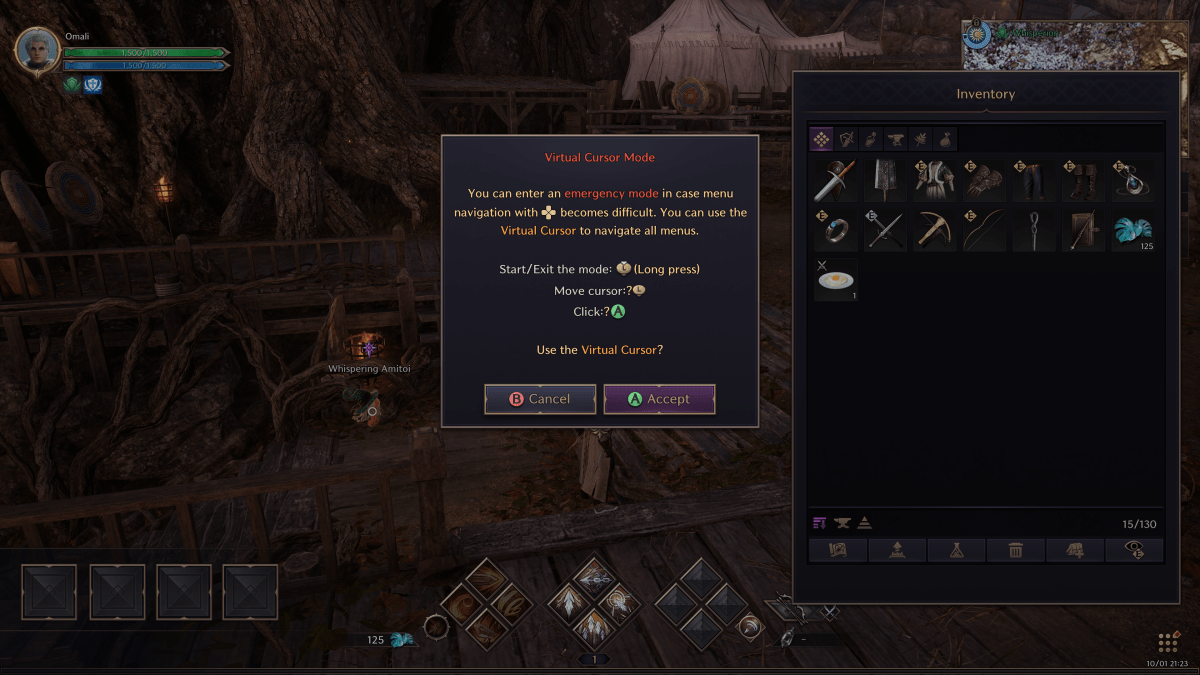
On console.
Throne & Liberty is finally out on consoles and the menu? It kinda sucks. In fact it’s just about completely broken in a lot of instances. So until NCSoft and Amazon fix it in an upcoming patch, what should you do to keep the game playable?
Well the answer is easy. All you have to do is activate the emergency cursor mode. By clicking and holding on the left joystick, you are given a prompt (above) to activate cursor mode.
You’ll have to do this every single time you enter a menu, but for right now it’s the best workaround until the overarching issue is fixed. This works on Xbox and PlayStation, as well as on PC if you’re using a controller.
 MMO Fallout